On this screen, you make adjustments to your respective deletion method of choice.
Confirm your selection with Next at the bottom right of the screen. You will then be directed to the next step.
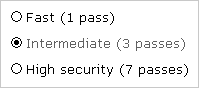
When using the Easy & Safe deletion method, you may determine the number of deletion runs based on your needs. You have three options to choose from, each with different runtime and security conditions.
| |
| fig. 1: Deletion Method - Easy & Safe |
Select your option:
|
|
The Standardized deletion method offers 15 different standardized security settings for data deletion.
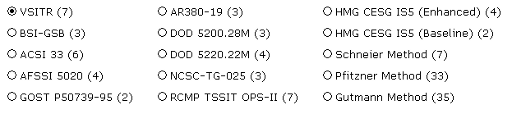 |
| fig. 2: Deletion Method - Standardized |
Choose a Standard from the list.
This method allows you to quickly and easily define your own deletion method ( fig. 3).
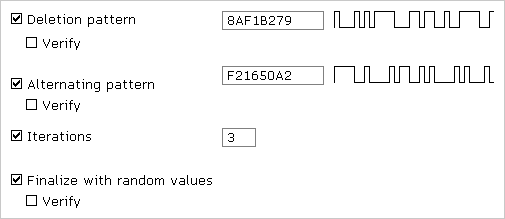 |
| fig. 3: Deletion Method - Customized |
A specified deletion method is based on up to two deletion patterns, random values and a repetition counter. If necessary, these parameters can be individually enabled or disabled by checking or unchecking the respective boxes. In accordance with their activations, the parameters will be taken into account within the deletion process. The Deletion pattern parameter is the only one that is enabled by default.
Define a deletion pattern as follows:
|
You may apply the Verify option to the different deletion patterns and the final run. The respective deletion run will then be followed by a verification run in order to check if the previously written patterns can be read from the media, and therefore it is verified whether the deletion pattern was actually written onto the media.


