Change the language layout of your keyboard or activate an on-screen keyboard if needed.
 |
|
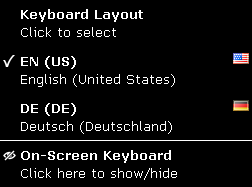
| fig. 1: Keyboard Applet |
Keyboard Layouts
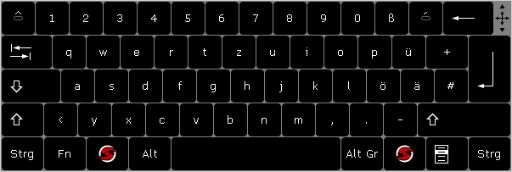
The available language layouts will be shown (fig.1). You may choose between country-specific layouts and the US layout (fig. 2).
To switch the keyboard layout, click on one of the entries in the applet or press Alt + Shift on your system's keyboard.
On-screen Keyboard
Show or hide the on-screen keyboard. When active, the on-screen keyboard can also be hidden by double-clicking the top right corner.
 |
|
| fig. 2: On-screen keyboard set to US layout |
| Hint: The on-screen keyboard can me moved by clicking and dragging it across the screen as needed. |

